
Lights & Controls
Our opinions are our own. We may earn a commission if you buy through our links. How this works
LED color, brightness, remotes, and why some trees are easier to use than others. Nobody wants to crawl under branches to change settings—here's how to avoid that.
TL;DR
- Warm white (2700-3000K) is most popular: Cozy, traditional look. Cool white (4000-5000K) is brighter and more modern.
- Light density matters more than total count: On a 6- to 10-foot tree, 100+ lights per foot looks magical and 70-90 per foot is classic. Don't trust "3000 lights!" marketing on a 7' tree—do the math.
- Control systems aren't created equal: Foot pedals are underrated. App control is cool but can be finicky. Remote controls work until you lose them.
- RGB isn't just for kids: Modern RGB trees can do excellent warm white plus color effects. Great if you switch themes.
- Pre-lit saves setup time, but its lights may not outlast the tree: When a strand dies, you fix it or weave a new strand over it. Some brands make repair easier than others.
Color Temperature: The Vibe-Setter
This is the first decision and it affects everything else. You can't easily change color temperature later, so choose wisely.
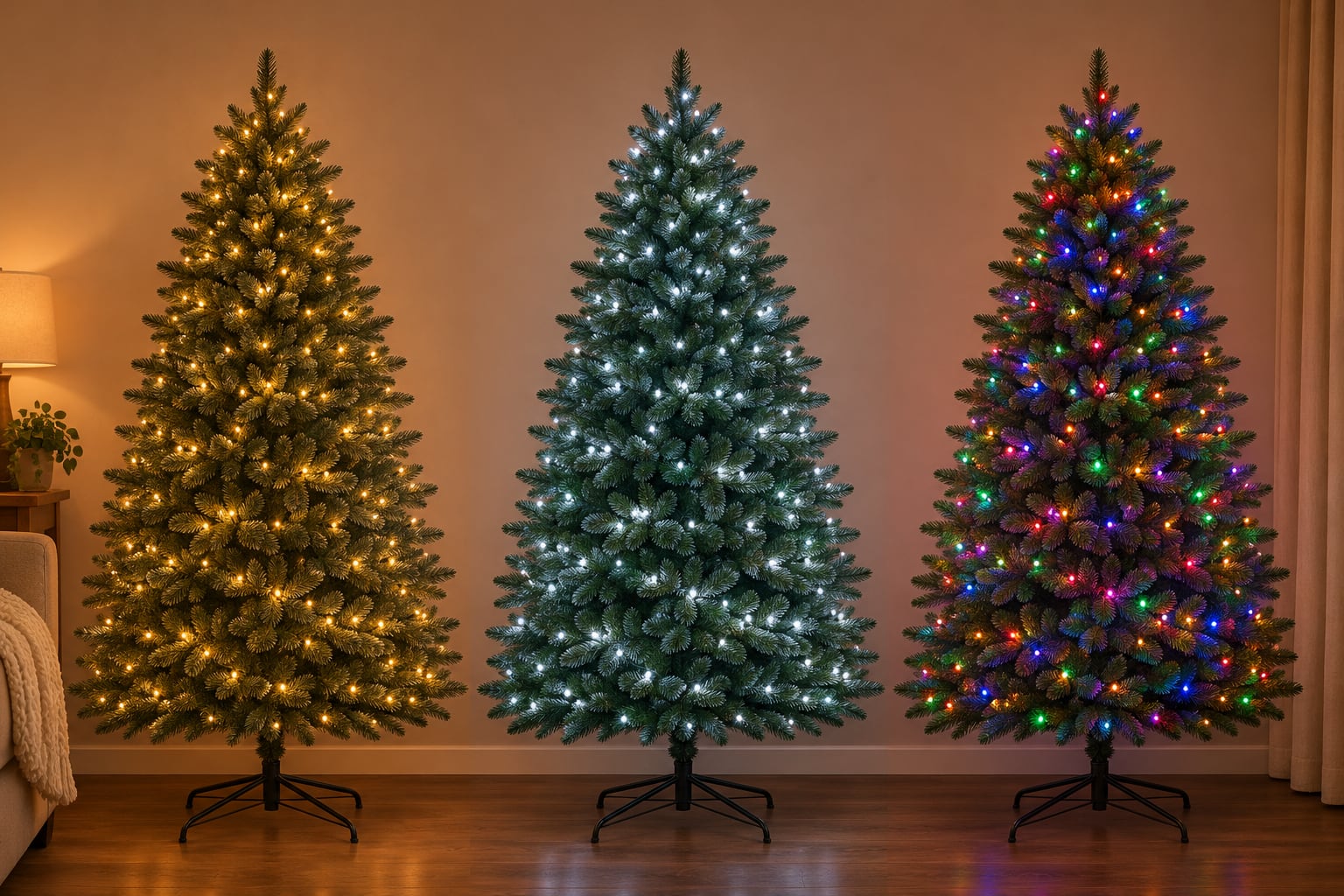
Warm White (2700-3000K)
What it looks like: Soft, golden, candlelight glow. This is what most people picture when they think "Christmas tree."
Best for:
- Traditional/cozy aesthetics
- Homes with warm wood tones, brass fixtures
- People who grew up with incandescent lights
- Trees with lots of ornaments (warm light makes colors pop)
Watch out: Too many warm white LEDs on a small tree can look orange-yellow. If your tree comes with 150+ lights per foot in warm white, it might be too much.
Cool White (4000-5000K)
What it looks like: Bright, crisp, icy blue-white. Looks like fresh snow in sunlight.
Best for:
- Modern/minimalist spaces
- All-white or monochrome decor schemes
- Flocked/snowy trees (enhances the winter vibe)
- Large rooms where you want maximum brightness
Watch out: Can feel sterile or "hospital-like" if you have warm-toned lighting elsewhere in the room. Mix your room's ambient lighting to balance it.
RGB / Multicolor / Color-Changing
What it is: LEDs that can switch between colors, often including warm white and cool white modes.
Best for:
- Families with kids (they love the effects)
- People who switch themes year to year
- Anyone who wants options without buying multiple trees
Better RGB systems can produce a convincing warm white, not the weird bluish "white" of older LEDs, but it varies by tree, so check owner reviews before you count on it. When it works, you get a traditional tree 95% of the time, then switch to rainbow for New Year's or a party.
Old/cheap RGB systems have terrible white modes and gimmicky effects you'll never use. If you're paying under $400 for a 7.5' RGB tree, the white mode will probably disappoint you.
Most of the color-changing trees in our catalog are dual-color instead, switching the whole tree between white and multicolor, and our guide to color-changing Christmas trees explains how they work and how to judge the white setting before you buy.
Light Count and Density: Do the Math
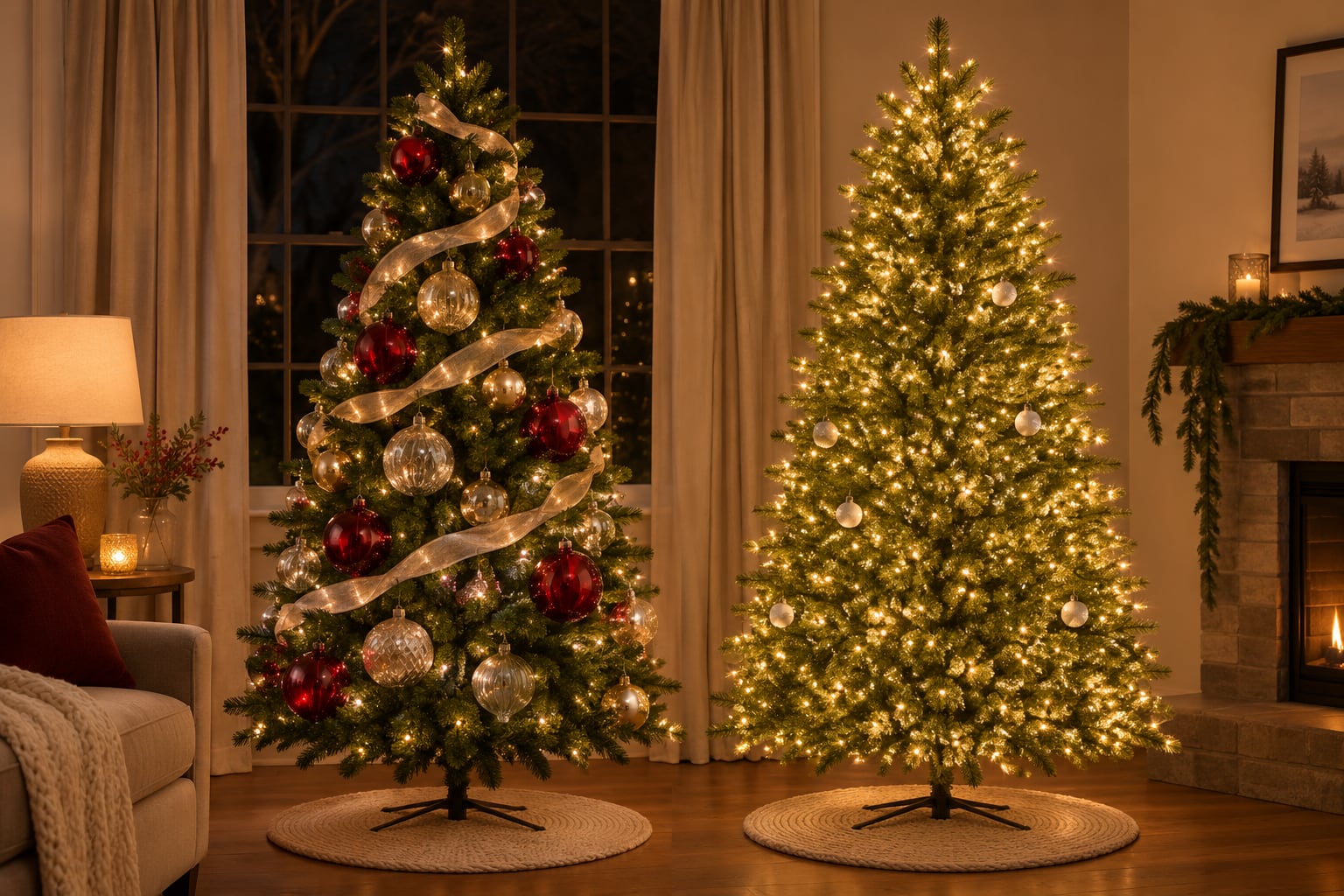
Marketing loves to scream "2000 LIGHTS!" without context. A 9-foot tree with 2000 lights is dramatically different from a 6-foot tree with 2000 lights.
The Formula
Lights per foot = Total lights ÷ Tree height
- Classic look: 70-90 lights per foot
- Dense/lush look: 100-120 lights per foot
- Ultra-dense (statement trees): 130-150+ lights per foot
These ranges fit trees from about 6 to 10 feet. Branch surface grows faster than height, so a smaller tree needs fewer lights per foot for the same look, and a very tall one needs more. A 4-foot tree looks classic with about 200 lights, or 50 per foot, and a 12-foot tree takes about 1,050 to 1,350, or roughly 90 to 110 per foot.
Examples
7.5-foot tree, classic look (80 lights/ft): 600 total lights. Looks full but not overwhelming. You can see ornaments clearly.
7.5-foot tree, dense look (110 lights/ft): 825 total lights. Magical glow, especially at night. Ornaments need to compete more.
7.5-foot tree, ultra-dense (140 lights/ft): 1050+ total lights. Showstopper. Expensive. Possibly too much for small rooms.
What Actually Looks Better?
It depends on your ornaments and room:
- Heavy ornamentation (lots of baubles, garland, etc.)? Stick to 70-90 lights/ft. You want the ornaments to shine, not compete with a wall of light.
- Minimalist ornaments or all-white theme? Go 100-120+ lights/ft. The tree is the statement.
Cool white reads brighter than warm white at the same count, so you can go slightly lower (90-100/ft) and still get a lush look.
Buying lights for an unlit tree or topping up a pre-lit one? Our chart of how many lights each tree height needs turns these ranges into light and strand counts for every height from 2 to 12 feet.
Control Systems: The Stuff They Don't Highlight Enough
You'll interact with your tree's controls every single day from Thanksgiving to New Year's. Bad controls are a daily annoyance. Good controls disappear into the background.
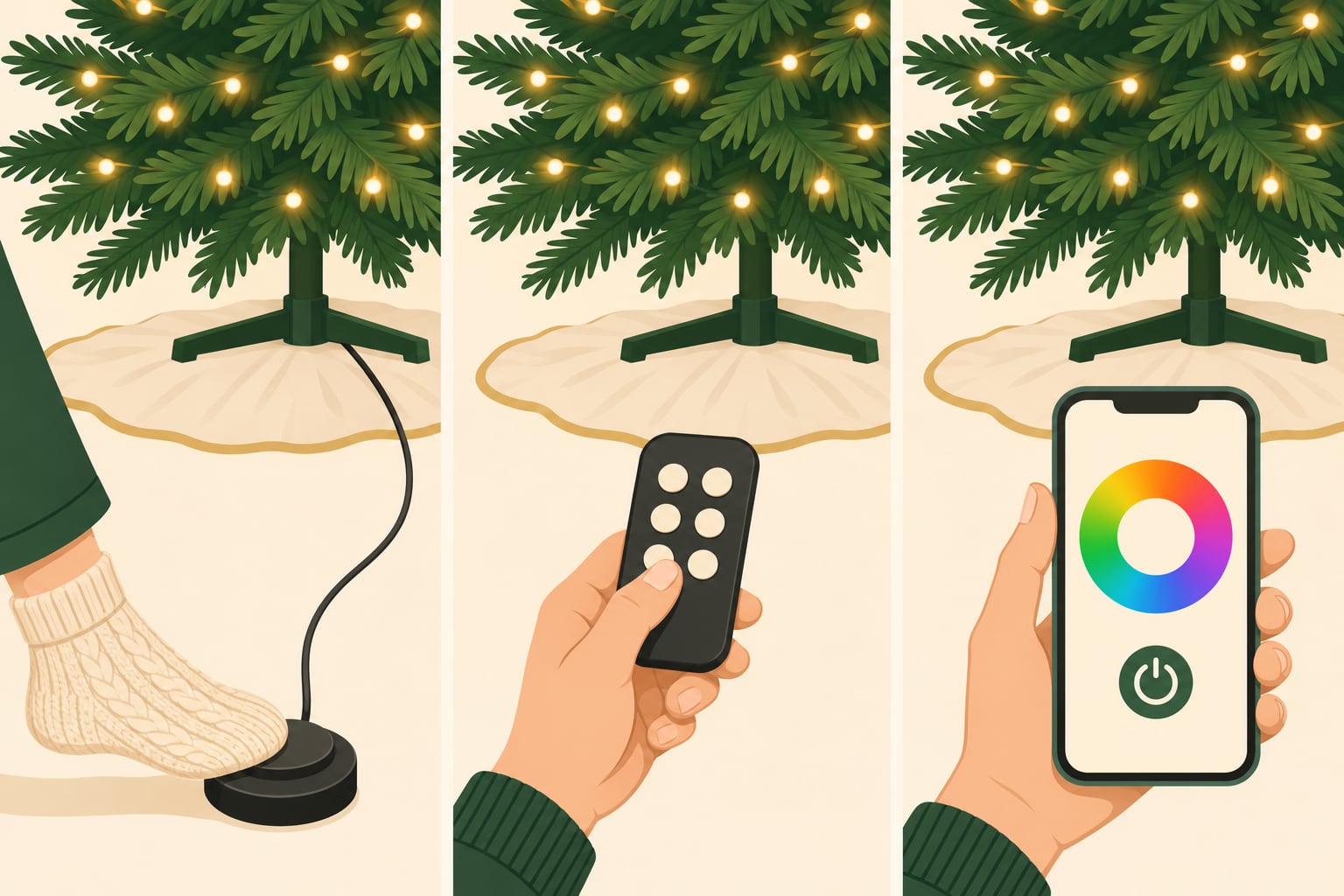
Foot Pedal
How it works: Step on it to cycle through settings (on/off, sometimes multiple modes).
Pros:
- Kids can operate it without help
- No crawling under the tree
- Never loses a battery or gets stuck behind the couch
- Instant tactile feedback
Cons:
- Can slide around on hardwood (put it on a rug or mat)
- Only basic functions—usually just on/off or 2-3 modes
- Easy to accidentally step on (your choice if that's a pro or con)
Best for: Families with young kids, anyone who doesn't want to deal with remotes/apps.
Remote Control
How it works: IR or RF remote, like a TV remote.
Pros:
- Works from across the room
- More functions than a foot pedal (brightness, timer, effects)
- Reliable when it works
Cons:
- IR remotes need line-of-sight and can be blocked by a thick tree
- RF remotes (radio frequency) work through obstacles but cost more
- Batteries die at the worst time (keep spares)
- Will 100% get lost behind couch cushions
Best for: Adults who are organized with remotes. People who want more control than a foot pedal but don't want an app.
App Control (WiFi/Bluetooth)
How it works: Connect your tree to your phone via WiFi or Bluetooth. Control everything from an app.
Pros:
- Schedules and timers (tree turns on/off automatically)
- Custom color mixing and effects (if RGB)
- Control from anywhere in your house (WiFi models)
- No extra device to lose
Cons:
- Initial pairing can be annoying
- Apps sometimes lag or crash
- WiFi models need strong signal near the tree
- Bluetooth has limited range (15-30 feet)
- App might stop working if the company abandons it (rare but happens)
Best for: Tech-savvy people, anyone who wants scheduling, RGB enthusiasts who like tweaking colors.
Reality check: If you just want to turn the tree on and off, app control is overkill. If you want your tree to fade from warm white to multicolor to "candlelight flicker" mode on a schedule, apps are great. Our guide to smart Christmas trees covers what an app adds on different kinds of lights, the setup it takes, and what still works if the app goes away.
Built-In Timer
How it works: Usually a 6-hour on, 18-hour off cycle. Flip a switch, tree comes on at the same time every day.
Pros:
- Set it and forget it
- No phone, no remote, no foot pedal
- Never fails (unless the power goes out)
Cons:
- If your schedule changes, you have to manually re-set it
- Only one pattern (on at X time for 6 hours)
- Some models reset if you unplug them
Best for: People with rigid schedules, anyone who hates tech, minimalists.
Pre-Lit vs. Unlit: The Long-Term Cost
Pre-lit trees are convenient. Unlit trees give you control. Here's how they compare.
Pre-Lit Trees
Pros:
- Setup is faster (just fluff branches, plug in)
- Lights are evenly distributed by the manufacturer
- One less thing to store
Cons:
- When a strand dies, you're troubleshooting or replacing bulbs yourself
- Some trees have lights buried deep—nearly impossible to fix
- After the warranty, dead strands are yours to fix or cover with new lights
- Can't change light color/style without re-stringing
Repairability varies:
- Easy to repair: Modular light strands you can unplug and replace (look for "removable light strands" or "plug-in bulbs")
- Moderate: Individual bulbs you can swap (tedious but doable)
- Nightmare: Lights hardwired into branches with no access
Unlit Trees
Pros:
- Full control over light type, color, density
- Easy to replace strands—just unwrap and re-wrap
- Longer tree lifespan (no built-in failure point)
Cons:
- Setup takes longer every year
- Requires more storage space (tree + light strands)
- Wrapping lights evenly is a skill (first year can be rough)
Best for: People who like control, anyone with a specific vision, folks who plan to keep the tree 10+ years.
For how long built-in lights last and who should buy which, see our pre-lit vs unlit comparison.
Common Problems and Fixes
"Half the tree is out"
Cause: A loose, broken, or missing bulb, or a blown fuse in the plug. Pre-lit lights are wired in short series runs, so one break darkens the whole run.
Fix: Check the fuse in the plug first. Then wiggle every bulb in the dead section until they light up. If you find a dead bulb, replace it (most trees come with spares). For the full sequence, including LED trees and when to call the maker, see how to fix pre-lit Christmas tree lights.
Prevention: Choose LED. A burned-out LED typically short-circuits, so the rest of its run often stays lit. A loose bulb still darkens its run, so press each one in firmly when you set up.
"The lights flicker"
Cause: Loose connection where tree sections join (common on trees with Easy Plug/Power Pole systems).
Fix: Make sure sections are fully seated together. If it's still flickering, check the main plug connection at the wall. If the whole tree blinks or cycles in a regular pattern instead, that's a light setting or demo mode, not a loose joint, and our guide to making lights blink or stop blinking covers how to stop it.
Prevention: When assembling, push sections together firmly and listen/feel for the click.
"The app won't connect"
Cause: Bluetooth range, WiFi signal, app bug, user error (we've all been there).
Fix:
- Restart your phone
- Make sure Bluetooth/WiFi is on
- Stand close to the tree
- Delete and re-pair the tree
- Check for app updates
- Read the manual (seriously, some trees have weird pairing sequences)
Prevention: Test during initial setup, not on Christmas Eve when you have guests arriving.
"The remote stopped working"
Cause: 90% of the time it's the batteries.
Fix: Replace the batteries. If that doesn't work, re-pair the remote (check the manual for the pairing button sequence).
Prevention: Keep spare batteries in your tree storage bin.
What to Look for When Shopping
Must-Haves
- Clear light density spec (lights per foot, or total lights + tree height so you can calculate)
- Replaceable bulbs or strands (otherwise a dead run means weaving a new strand over it)
- Control system you'll actually use (don't pay for app control if you'll never open the app)
Nice-to-Haves
- Dimming capability (bright for parties, soft for ambiance)
- Multiple effect modes (if you like variety)
- Dual-color capability (warm white + cool white, or warm white + colors)
Don't Pay Extra For
- "Premium" app features you won't use
- More than 150 lights/ft (unless you're doing a showpiece tree)
- Fancy control boxes you'll hide anyway
Troubleshooting Cheat Sheet
| Problem | Check This First | If That Doesn't Work | |---------|------------------|---------------------| | Half the tree is dark | Wiggle bulbs in dead section | Replace fuse in plug | | Flickering lights | Reseat tree sections | Check wall outlet | | Remote not working | Replace batteries | Re-pair remote | | App won't connect | Restart phone, check Bluetooth/WiFi | Re-pair tree in app | | Tree won't turn on | Check plug is fully inserted | Test outlet with another device | | Lights look dim | Check if dimmer is set low | Some bulbs might be dying |
Final Thoughts
Lights are half the magic of a Christmas tree. Spend 10 minutes thinking through how you'll actually use your tree:
- If you're hands-off: Built-in timer or simple foot pedal
- If you like options: Remote control with multiple modes
- If you're into tech and effects: App control with RGB
- If you're indecisive: Warm white + color-changing dual mode
And for the love of all things festive, test the lights before you finish decorating. Nothing is worse than realizing half the tree is dark after you've hung 200 ornaments.
Next steps: Learn about PE vs PVC and branch construction, or jump to our buying guide for the full picture.