
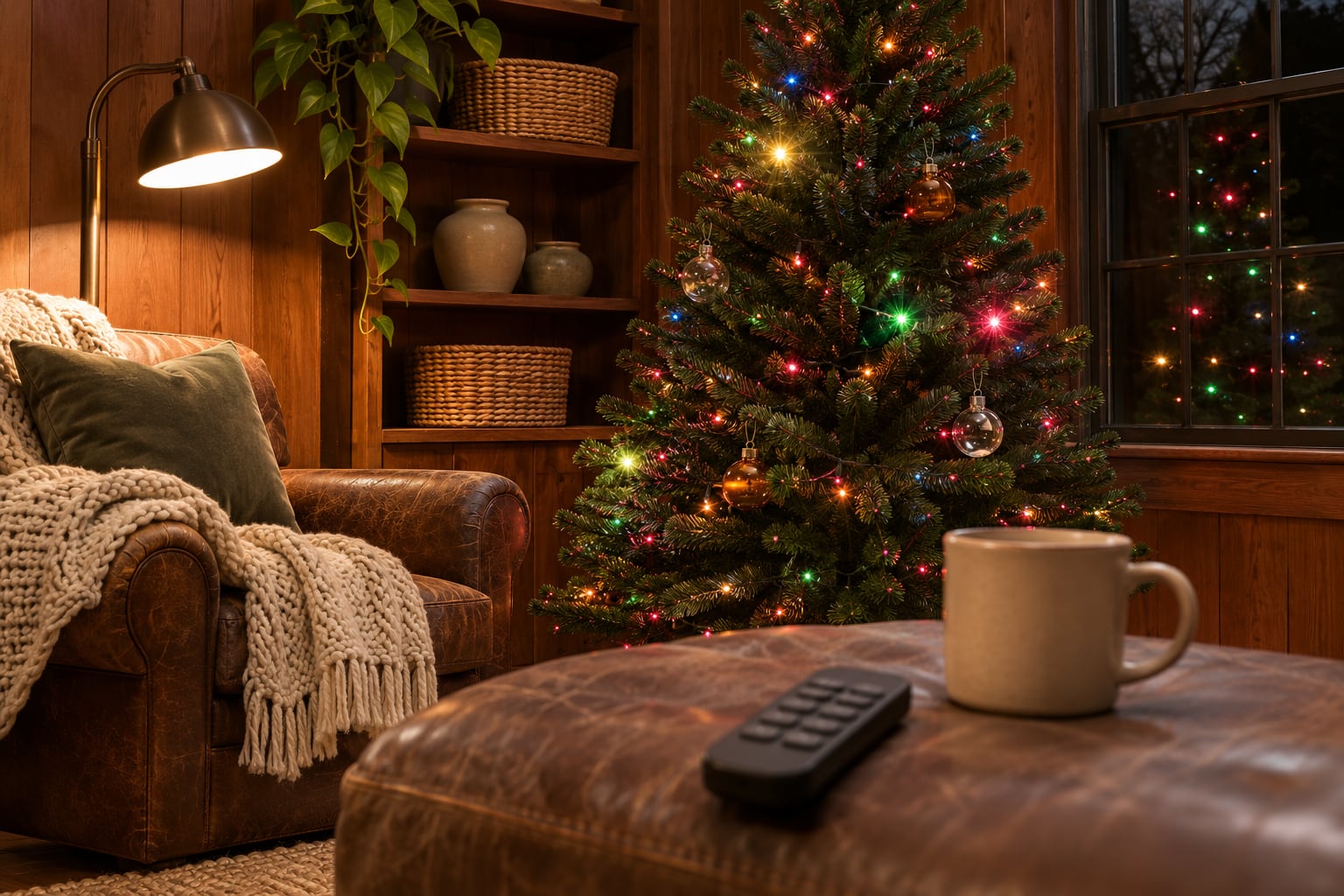
To make Christmas lights blink, start with what kind of lights they are. On incandescent mini lights, unplug the strand and swap any bulb for the flasher bulb, the one with the red-painted tip that usually comes in the bag of spares. Once it warms up, it switches its whole circuit off and on, so a strand with two circuits needs two. LED lights can't use a flasher bulb. They blink through a controller, either the little box on an LED strand's cord or a plug-in controller sold for LED lights. On a pre-lit tree, that means the foot pedal, the remote, or the box on the power cord.
To stop the blinking, reverse it: take the flasher out, or switch the controller to a steady setting. If a new pre-lit tree keeps cycling through its effects no matter what you pick, it's probably in demo mode, which you turn off by holding down a button for several seconds. Every pre-lit tree in our catalog has LED lights, so on all of them, it comes down to the controller.
Start With the Kind of Lights You Have
The box, or the tag near the plug, says whether a set is LED or incandescent. If both are long gone, look closely at a lit bulb: an incandescent mini has a glowing wire filament inside and gets warm to the touch, while an LED has a tiny chip and stays much cooler.
| Your lights | To make them blink | To make them stop |
|---|---|---|
| Incandescent mini lights | Swap one bulb in each circuit for a red-tipped flasher bulb | Swap the flasher for a regular bulb of the same voltage |
| LED strand with a control box on its cord | Press the box's button until the lights flash or twinkle | Press it until they hold steady |
| LED strand with no controller | Run it through a plug-in controller sold for LED lights | If it blinks anyway, look for a loose bulb or connection |
| Pre-lit tree | Choose a flashing or twinkling function with the remote, pedal, or button on the cord | Turn off demo mode, then choose a steady setting |
| App-controlled lights | Choose an effect in the app | Choose a steady setting in the app |
How a Flasher Bulb Makes Incandescent Lights Blink
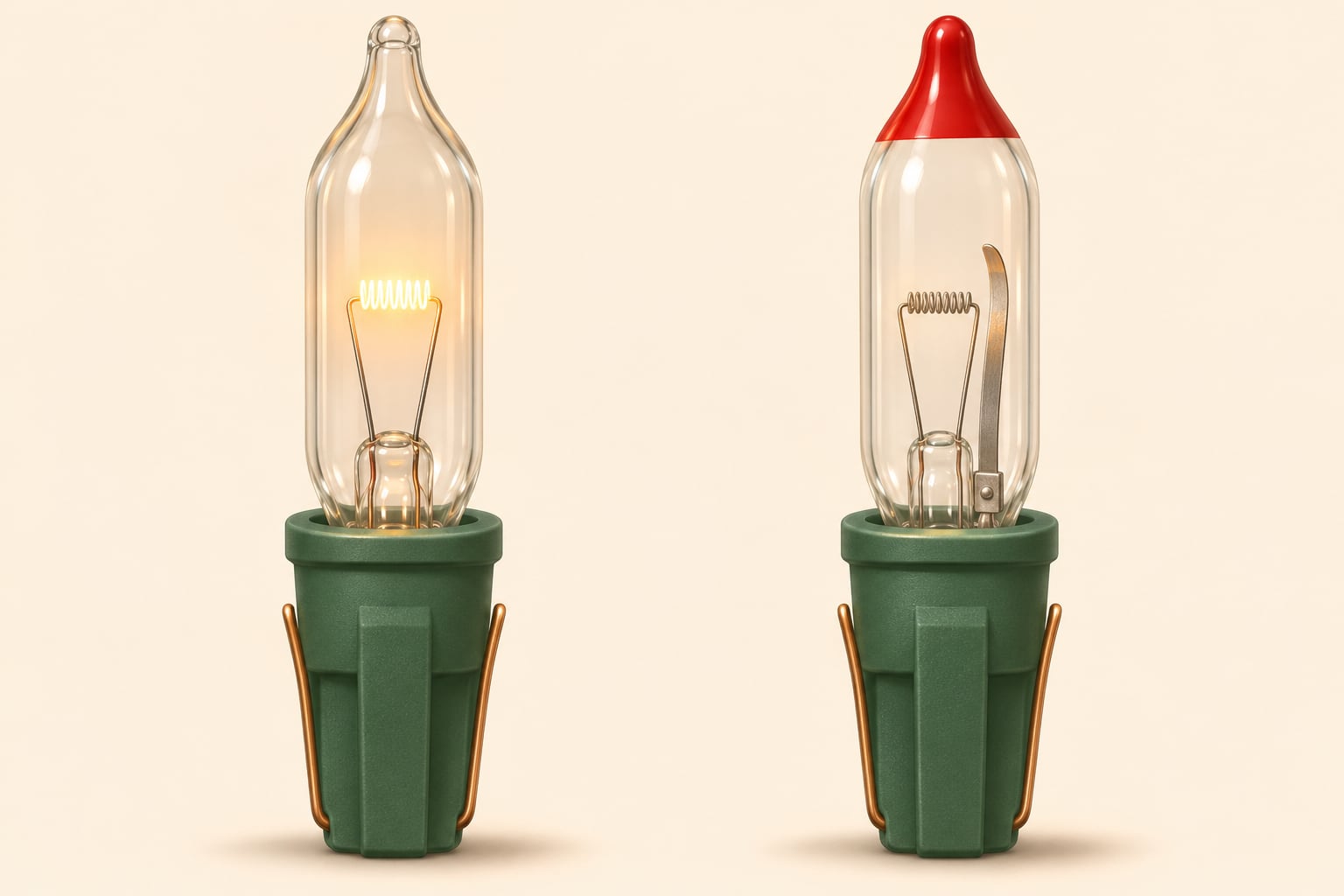
A flasher bulb looks like every other bulb in the set except for the red paint on its tip. Inside, next to the filament, is what Family Handyman's article on the red-tipped bulb calls "an extra piece of metal at the top of the bulb called a bi-metallic strip." As the filament heats the strip, it bends and breaks the connection. As it cools, it straightens, the connection closes, and the cycle starts over.
Incandescent minis are wired in series loops, and a flasher breaks "the entire series circuit," as Wikipedia's entry on twinkle bulbs puts it, so every bulb in its loop goes dark with it. That's why a flasher makes lights blink rather than twinkle: the whole loop switches together.
To add one:
- Unplug the strand.
- Find the flasher. It usually comes in the small bag of spares, which is why, as Family Handyman notes, people often mistake it for a replacement bulb.
- Swap it for any bulb in the loop you want to blink. Pull the old bulb straight out of its socket, check that the flasher's two thin wires lie straight and flat against its base, and push it in until it seats.
- Plug the strand in and give it a minute. The flasher works by heat, so it takes a little while to start.
One Flasher per Circuit
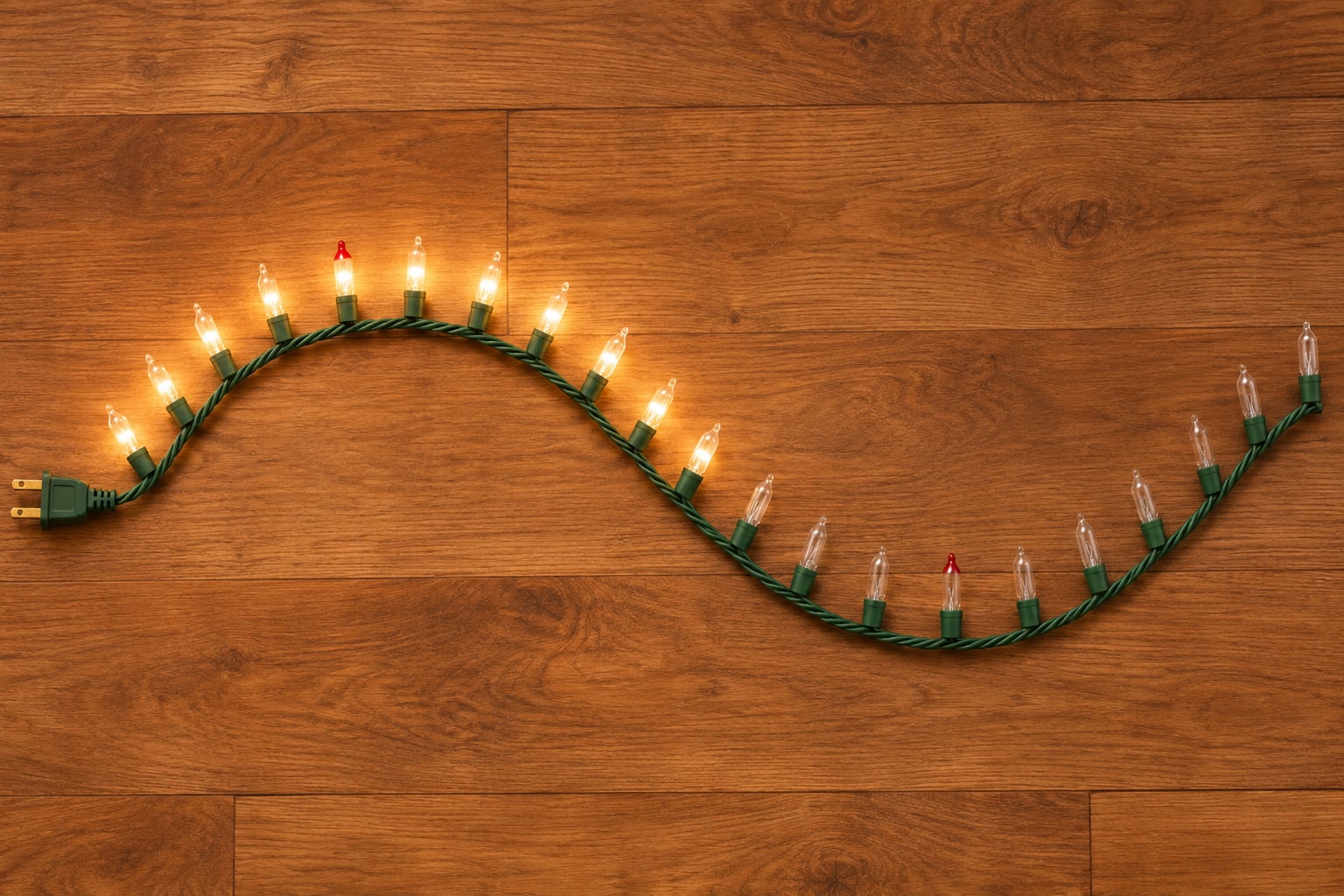
A 50-light set is usually a single loop, so one flasher blinks the whole strand. Longer strands are built from several: the LightKeeper Pro FAQ says a 100-light set "consists of two 50 Light sections." A flasher blinks only its own loop, so with one flasher in a 100-light strand, half of it blinks while the other half stays lit. For the whole strand to blink, put a flasher in each half.
The halves won't blink in step, either. Each flasher keeps its own time as it heats and cools, so, as Renovation Headquarters puts it, "The two sections will not flash in unison." An older incandescent pre-lit tree works the same way with more loops: 700 lights in 50-bulb loops would take 14 flashers to blink all over.
Use the Flasher Made for Your Set
Flashers come in different voltages for sets of different lengths, and the CPSC points out that mini bulbs "are not marked individually with a voltage rating," so the voltage lives on the box or the tag. Use the flasher that came with the set, or one that matches the voltage of its bulbs. One seller of replacement flashers warns that the wrong one will "burn out quickly or not work," and the CPSC says matching the voltage prevents "dangerous overheating, melting, and possible fire."
A few sets behave differently. On battery sets, which are wired in parallel, and on plug-in sets whose sockets keep the rest of the loop lit when a bulb is missing, Wikipedia notes that a flasher blinks by itself instead of taking its loop with it.
Flasher Bulbs Don't Work in LED Lights
A flasher's strip bends only when its filament heats it, and that takes the current an incandescent loop carries. LED strands draw far less power than incandescent ones, as the Department of Energy points out, so a flasher in an LED set doesn't get hot enough to bend. Replacement flashers are sold for incandescent sets only, and one seller's listing says they "will not work for LED bulbs." In many LED sets there's nowhere to put one anyway. Five of the six pre-lit tree manuals we read say the lamps aren't replaceable, and Balsam Hill's bulb guide says the same of its micro LED and fairy lights.
LED lights blink through electronics instead.
The strand's own controller. Many LED strands have a small box on the cord near the plug with a single button. Each press moves to the next function, often from a list of eight like this one: combination, in waves, sequential, slo-glo, chasing/flash, slow fade, twinkle/flash, and steady on. The same list turns up on pre-lit trees: the Collins Fir's wired controller runs through all eight, plus a timer.
A plug-in controller. A strand with no box can blink through a plug-in controller, which goes between the outlet and the strand. Buy one sold for LED lights, since some older plug-in flashers work by heat, like a flasher bulb, and may not blink a strand that draws as little power as an LED set. Make sure it's rated for the strands you'll run through it, and look for a testing lab's listing mark, as you would on the lights; NFPA's tree safety tips say lights should be "listed by a qualified testing laboratory." Holidynamics' page for its eight-function controller says that with most newer LED strands it can make them "flash, Slow Glow, and twinkle," and that "there are no controllers that can make standard lights chase down the strand." A controller like this switches or dims the whole strand at once, so its twinkle flickers every bulb together, and its chasing and wave effects run across its four outlets, from one strand to the next.
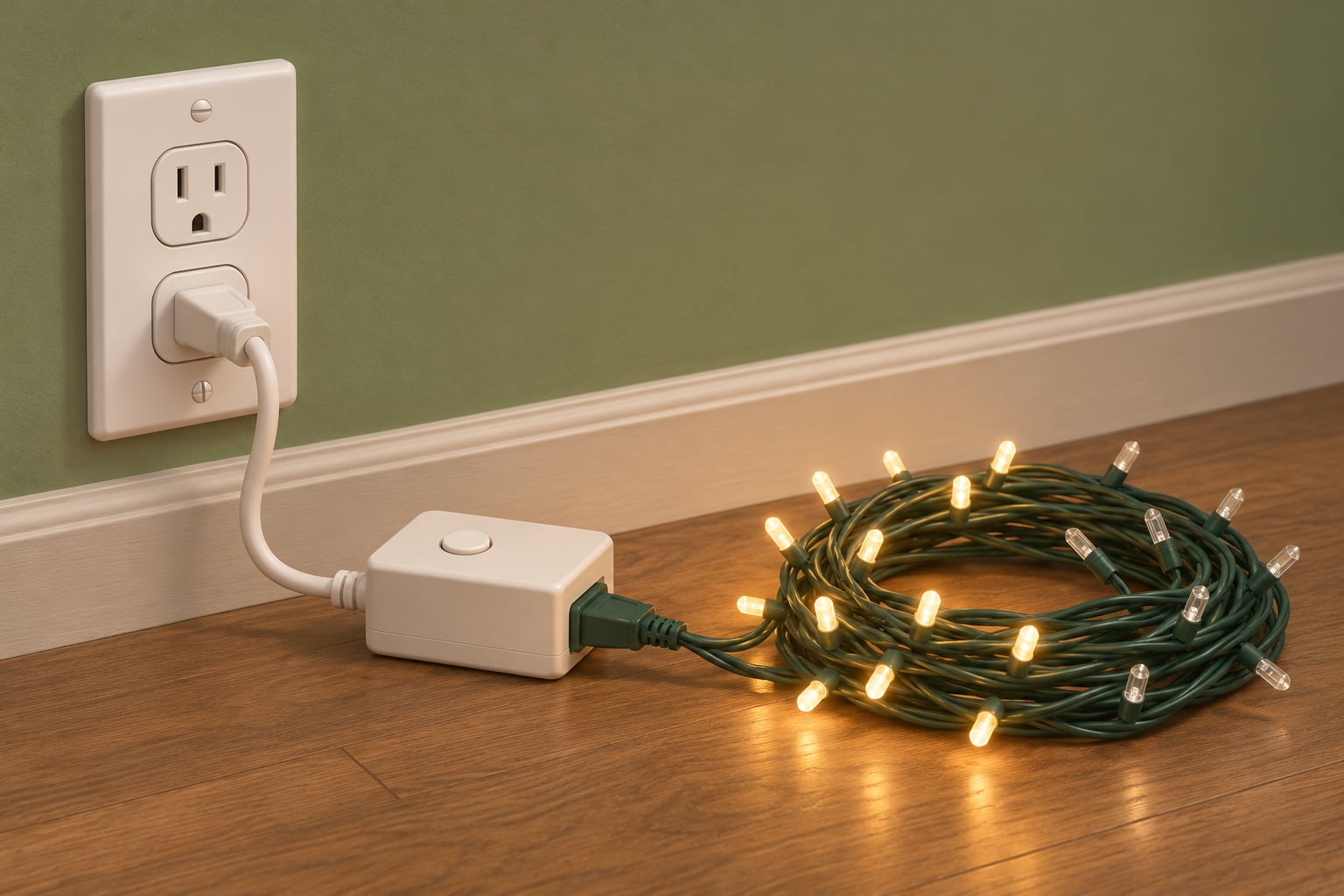
A pre-lit tree. Its own controller sets what the lights can do. If your tree has no blinking setting and you want one, weave a separate strand that does over the branches and give it its own outlet. Puleo's manual says not to connect extra light sets "to the existing light sets on your pre-lit tree," and our guide to hanging lights covers weaving a strand through a sectioned tree. The tree manuals we read don't cover running a pre-lit tree through a plug-in controller, so ask the maker before you try it.
What a Pre-Lit Tree's Light Functions Do
A pre-lit tree's foot pedal, or the button on a box on its power cord, steps through the light functions in a fixed order, one press at a time. Many remotes have a button for each function instead. Some lists are short: the manual for one flocked Home Decorators Collection tree says to press its pedal "once to turn it to twinkle, a second time to turn it to steady and a third time to turn it OFF." Others run long. The manual for the 7.5-foot Montrose Douglas Fir lists 11 functions: a combination mode, warm white and multicolor versions of steady, twinkling, and fading, and four that mix the two colors, including fast and slow blinking. Its remote has a button for each.
Stepping through a long list adds up: our review of the Flocked Greensboro notes that getting from the first mode to the eighth takes seven presses.
Names vary from tree to tree, but most come from a short list:
| On the list | What the lights do |
|---|---|
| Steady, steady on | Stay on without changing |
| Flashing, blinking | Go off and on together. Some trees offer fast and slow versions. |
| Twinkling, twinkle | Depends on the tree: a random sparkle on some, every light blinking at once on others |
| Fading, slow fade, slo-glo | Dim and brighten slowly |
| Alternating | On dual-color trees, white and color take turns |
| Waves, sequential, chasing, meteor | Groups of bulbs light in turn, so the light seems to move |
| Combination, combo, demo | Run through the other functions in turn |
Twinkle Isn't the Same on Every Tree
Twinkle is the setting to check before you count on it. Our review of the Dewdrop Spruce describes its twinkling mode as a "random sparkle effect across all bulbs," and our review of the Bradley Spruce calls its twinkle "soft, randomized." On the Milford Pine, the setting called twinkle blinks every light at once, which our review found "more like a strobe than a twinkle." Some trees list both, like the Montrose Douglas Fir, whose manual puts warm white and multicolor twinkling next to fast and slow blinking. Product photos can't show the difference, so if the twinkle matters to you, find an owner's video of that mode before you buy.
On lights you string yourself, a flasher bulb blinks its whole loop and a plug-in controller its whole strand, so neither gives you a random twinkle. A random twinkle takes lights built for it: sets sold as twinkle lights, where some or all of the bulbs blink on tiny timers of their own that drift in and out of step, as Wikipedia's entry describes, or app-controlled lights with twinkle effects.
Why Your Lights Keep Blinking, and How to Stop Them
Work through these in order.
A new pre-lit tree is in demo mode. Some trees ship in a mode that shows off every effect, and until you turn it off, the tree won't stay on the one you pick. The 7.5-foot Montrose Douglas Fir's manual says that in demo mode "the light effects are displayed one by one in sequence," and that a function you choose lasts 15 seconds "before returning to Demo Mode." To turn demo mode off, hold the foot pedal's button for 10 seconds, or the remote's Combo button for 5, until the multicolor lights blink five times. From then on, the manual says, "the tree will remember the last setting until a new setting is selected."
Other trees use other buttons. On two other Home Accents Holiday trees, the manuals say demo mode turns off only from the button on the cord, held for 5 seconds, and the pedal just turns the lights on and off. The Elegant Grand Fir's manual says the tree comes "locked in the Demo function," with the pedal limited to on, off, and the timer until you hold the remote's Demo button and the lights flash once. Our review of the Holiday Living Glacier Fir found it takes a 15-second hold on the pedal, every time the tree powers on. If your tree cycles on its own, search the manual for "demo."
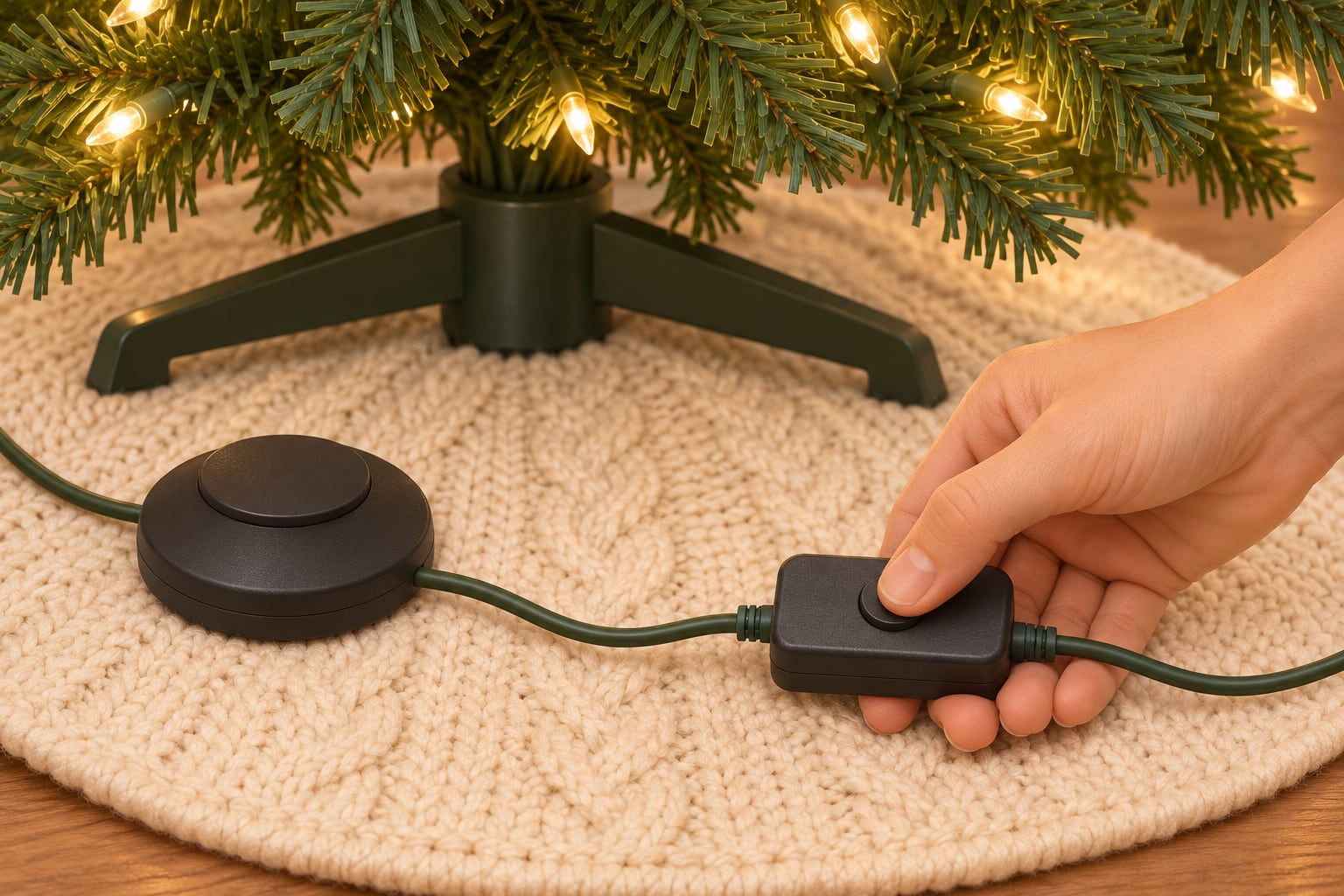
It's set to a flashing function. Press the remote's steady button, if it has one, or step through the functions with the pedal or the button on the cord until the lights hold steady. If the pedal only switches the tree on and off, use the remote or the cord button.
It goes back to blinking every evening. If the tree runs on a smart plug or an outlet timer, each power cut restarts its controller, and some trees restart in demo mode or a default setting. See the next section.
An incandescent strand has a flasher in it. Look for a bulb with a red tip. Unplug the strand, pull the flasher, and put in a regular bulb of the same voltage from the spares. If nobody added it on purpose, it probably went in as a replacement bulb.
The lights flicker unevenly, or only part of the tree does. That points to a loose bulb or connection rather than a setting. The Montrose manual says that if some bulbs "do not light up or flicker, search for any loose plugs," and our review of the Forest Pine traces the flickering several owners report to the connections between its sections. Reseat the sections and plugs first, and see our guide to fixing pre-lit tree lights for the rest. If everything is tight and the tree still flickers or changes functions on its own, the controller or a strand may be failing; call the maker if the tree is under warranty.
What Smart Plugs and Outlet Timers Can Do
A smart plug or outlet timer switches the outlet. It can turn the tree on at dusk and off at bedtime, but it can't choose a light function. On a pre-lit tree, each power cut makes the controller start over. Most of the manuals we read say the tree remembers your last setting, but not whether that survives a power cut. Some trees come back in demo mode or a default setting every time, and our guide to color-changing trees covers several, including one whose built-in timer resets it too.
Before you put a tree on a schedule, unplug it for a minute, plug it back in, and see what it does. If it comes back blinking, try its built-in timer instead, if it has one; the Elegant Grand Fir's manual says its timer keeps its setting even after the tree is unplugged and plugged back in. Our lights and controls guide compares pedals, remotes, timers, and apps.
Blinking Christmas Light Questions
How do you make LED Christmas lights blink?
Use the set's controller. Press the button on the box near the plug until the lights flash or twinkle, or on a pre-lit tree, choose a flashing or twinkling function with the remote or pedal. If the strand has no controller, run it through a plug-in controller sold for LED lights, and expect the whole strand to blink or fade together. A red-tipped flasher bulb won't work, because flashers are incandescent parts.
Why won't my flasher bulb blink?
Check that the set is incandescent, not LED; that the flasher matches the voltage of the set's bulbs; that it's seated with both wires flat against its base; that you've given it a minute to warm up; and that the strand isn't on a dimmer, which Wikipedia notes can reduce or stop heat-driven blinking. If it still won't blink, the flasher may be dead, so try another. If only part of the strand blinks, the strand has more than one circuit, and each needs its own flasher. On battery sets and on plug-in sets that stay lit with a bulb missing, the flasher blinks by itself instead of taking the whole loop with it.
How do I stop my Christmas tree lights from blinking?
On a pre-lit tree, choose a steady function: press the remote's steady button, or step through the functions with the pedal or the button on the power cord. If the tree won't stay there, it's probably in demo mode, and the manual says which button to hold, and for how long, to turn it off. On incandescent lights, replace the red-tipped flasher bulb with a regular bulb of the same voltage.
Can a smart plug make Christmas lights blink?
No. A smart plug or outlet timer switches the power on and off on a schedule, and it can't choose a light function. On a pre-lit tree, every power cut restarts the controller, so check that the tree comes back in the setting you left it before you put it on a schedule.
What's the difference between blinking and twinkling lights?
Blinking, or flashing, turns lights off and on together. A twinkle should look random, with bulbs going dim and bright at different times, but trees use the word loosely: on some, twinkle means every light blinking at once. A flasher bulb or a plug-in controller blinks a whole loop or strand at once. For a real twinkle, you need lights built for it.